5 Steps to Clean Keys with the 6-in-1 Portable Vacuum
 Sam VasquezBuying Guide Lead
July 3, 2026 — As remote work setups become permanent fixtures, the demand for specialized maintenance tools like the 6-in-1 Portable Vacuum is surging among professionals who need to keep their hardware debris-free.
Maintaining a clean workspace is about more than aesthetics; it is about hardware longevity. Dust and crumbs often migrate beneath mechanical switches, leading to key chatter or complete input failure. In a demonstration by the Cordless Keyboard Vacuum Cleaner channel on YouTube, the efficacy of using a dedicated cordless keyboard cleaner was highlighted as a primary method for preventing long-term damage to sensitive circuit boards. While basic compressed air cans were once the standard, the shift toward rechargeable, multi-functional units reflects a more sustainable and precise approach to office hygiene.
The 5-Step Deep Clean
Photo by MART PRODUCTION on Pexels
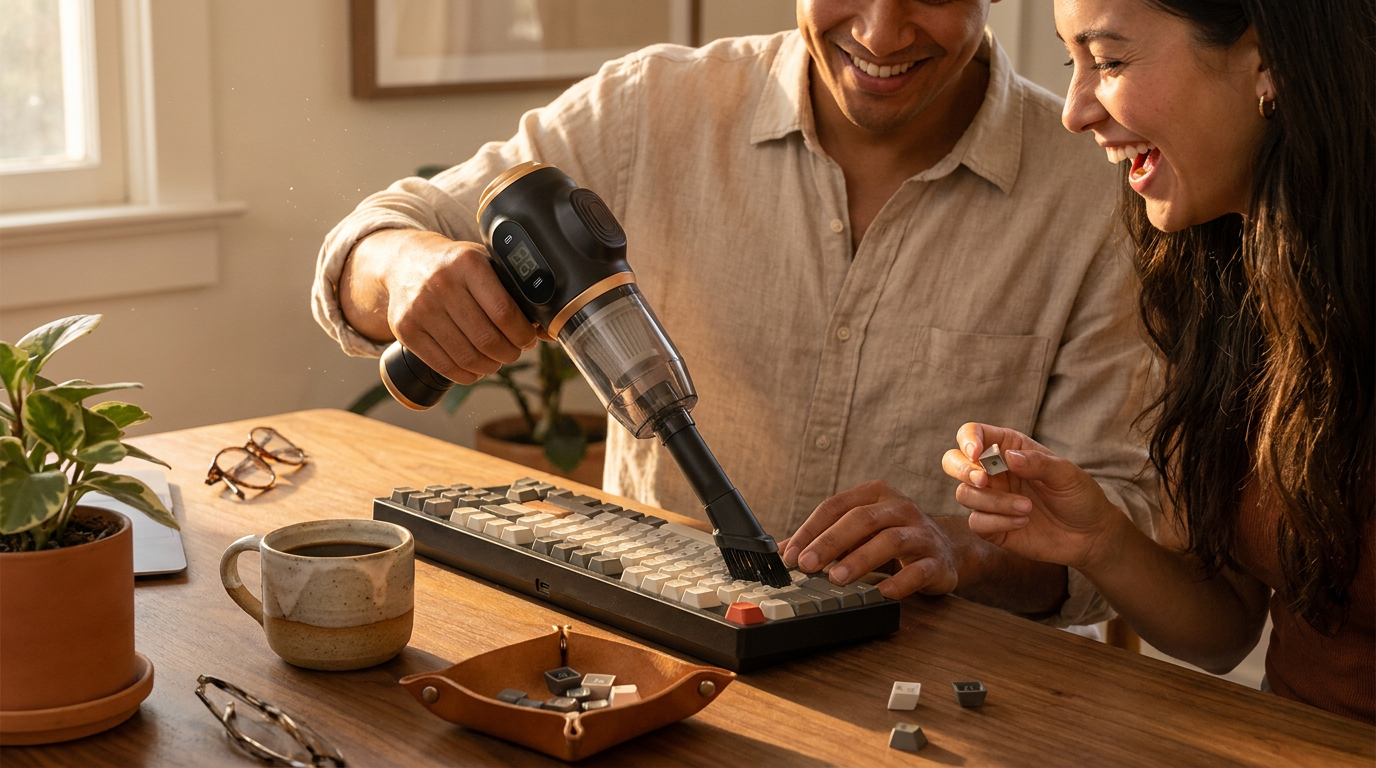
When I approach a keyboard that hasn't been serviced in months, I follow a specific sequence to ensure no grit is left behind. First, I power down the device to prevent accidental inputs. Second, I use the 6-in-1 Portable Vacuum in its high-suction mode with the narrow crevice tool to pull out loose particles from the perimeter. Third, I switch to the brush attachment to agitate stuck-on dust between the keycaps. Fourth, I utilize the blowing function—effectively a rechargeable air duster for electronics—to clear out anything the suction couldn't reach. Finally, I do a quick pass with a microfiber cloth. This hardware is built for this specific workflow, featuring a high-speed motor that provides consistent airflow without the freezing moisture associated with aerosol cans. Many users overlook the importance of 6-in-1 Portable Vacuum maintenance for sensitive electronics during this process, but keeping the vacuum's own filter clear is what maintains that necessary suction power. Between using a standard household vacuum or this dedicated mini keyboard vacuum cleaner, I’d go with the 6-in-1 every time because the smaller nozzles prevent the accidental removal of loose keycaps while still offering enough lift to clear out heavy debris. If you're on a budget, you might be tempted to just shake the keyboard upside down, but that often just shoves dust deeper into the stabilizers.
Expert tip: Use the blowing attachment first on a low setting to dislodge hair and larger crumbs before switching to suction mode; this prevents the internal filter of your rechargeable air duster for electronics from clogging prematurely with large debris.
Skip this if you use a fully sealed membrane keyboard with no gaps, as a simple damp cloth will suffice for those surfaces. For everyone else with a mechanical or laptop-style board, here's what I'd actually buy to keep the desk clean.